dev/vue.js
Vuex 기술 요소 state, getters
dev_0hoon
2024. 5. 11. 00:00
Vuex 기술 요소
- state : 여러 컴포넌트에 공유되는 데이터 data
- getters : 연산된 state 값을 접근하는 속성 computed
- mutaions: state 값을 변경하는 이벤트 로직 메서드 methods
- actions : 비동기 처리 로직을 선언하는 메서드 aysnc methods
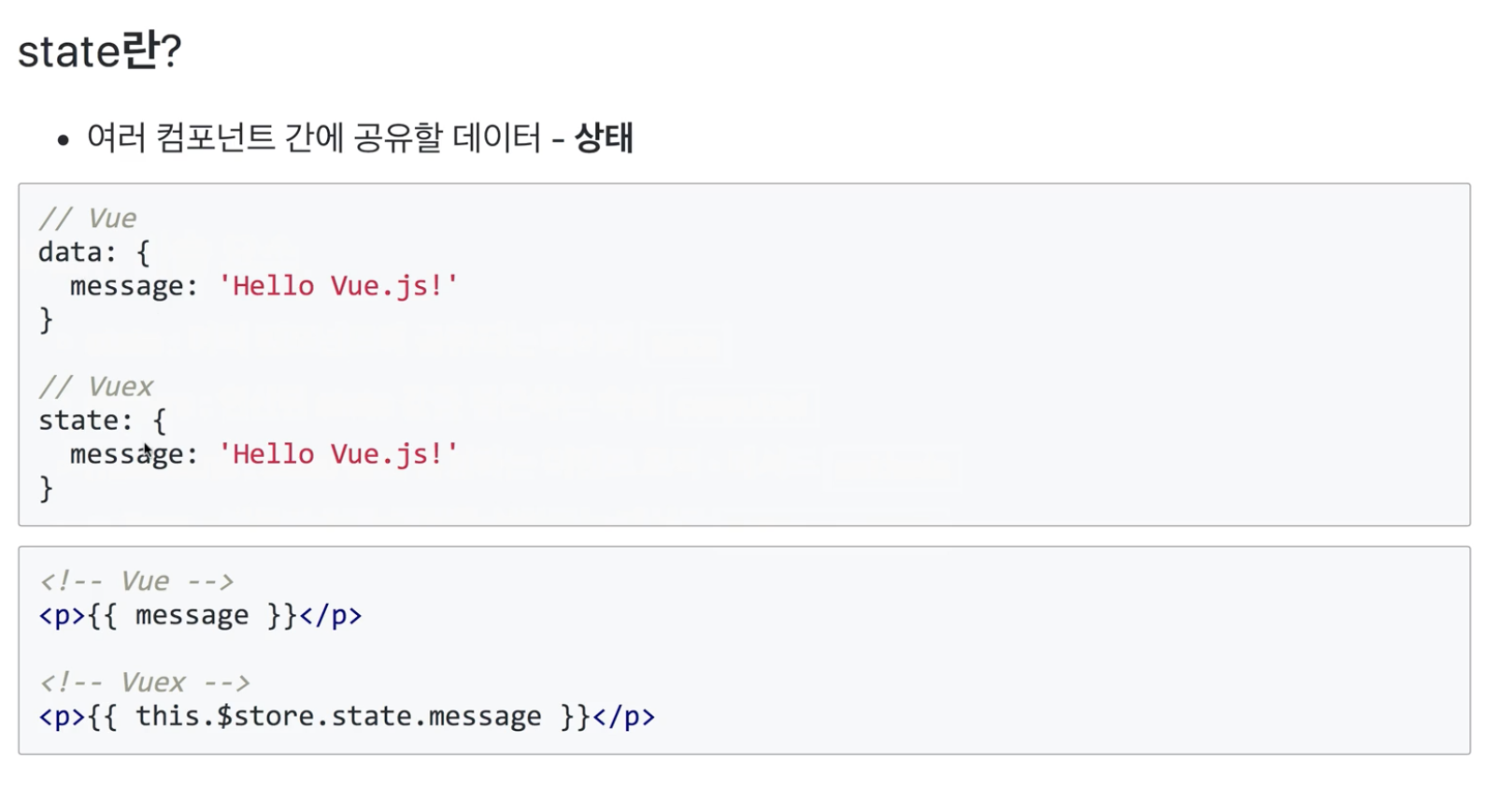

뭐가 다른지 싶은데 helper 함수를 쓰게 되면 편하게 쓰게 된다.
import { createStore } from "vuex";

export const store = createStore({
    state: {
        headerText : 'ToDo!'
    }
})
스토어에서 이렇게 작성했고
<template>
    <div>
        <header>
            <h1>{{ this.$store.state.headerText }}</h1>
        </header>
    </div>
</template>

<script>
export default {

}
</script>

<style scoped>
h1{
    color:#2F3B52;
    font-weight: 900;
    margin : 2.5rem 0 1.5rem;
}
</style>
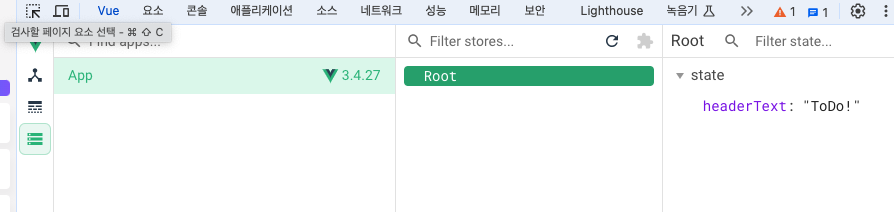
this.$store.state.headerText를 이용해서 접근하면 콘솔에서도 확인이 가능하다.
제대로 코딩을 시작하겠다.
import { createStore } from "vuex";

const storage = {
    fetch(){
        const arr = [];
        if(localStorage.length > 0){
            for(var i = 0; i < localStorage.length; i++){
                arr.push(JSON.parse(localStorage.getItem(localStorage.key(i))));
            }
        }
        return arr;
    }
}

export const store = createStore({
    state: {
        todoItems : storage.fetch()
    }
})
이렇게 store.js에 const storage 에 fetch()함수로 담았다. fetch는 그냥 작명한거다.
로컬스토레이지에 있던 값을 꺼내서 todoItems에 넣어줬다. 그것뿐이다.
실무에서는 로컬스토레이지가 아닌 디비데이터를 가져와서 뿌려주는 역할을 할 것 같다.
<template>
    <div>
      <TransitionGroup name="list" tag="ul">
          <li v-for="(todoItem,i) in this.$store.state.todoItems" v-bind:key="i"
            class="shadow">{{ todoItem.item }}
            <button v-on:click="removeTodo(todoItem, i)" class="removeBtn">
              <i class="removeBtn fas fa-trash-alt"></i>
            </button>
            <button v-on:click="toggleClear(todoItem,i)">clear</button>
            <span v-if="todoItem.completed">good!</span>
          </li>
      </TransitionGroup>
    </div>
</template>
todoList.js 에서 v-for="(todoItem,i) in this.$store.state.todoItems" 로 반복문을 이용해 뿌려줄 수 있었다.